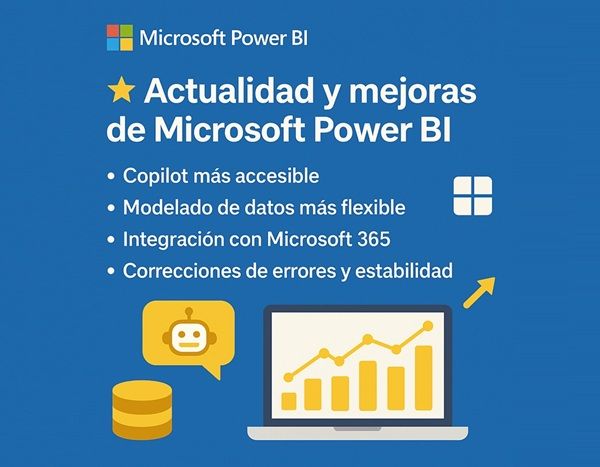
🚀 Microsoft continues to advance Power BI
Microsoft continues to push Power BI with more AI integration, improved modelling, and new management and visualisation capabilities.
🔑 These are the key developments in September 2025:
🤖 Copilot & AI
- Copilot in SharePoint Online embedded reportsallows you to ask questions in natural language, generate summaries and explore data without leaving SharePoint.
- Automatic measurement descriptions (GA)Power BI automatically documents model measurements, making it easy for non-technical users to understand.
- Filtered report summaries (Preview)Copilot standalone now offers filtered summaries for more precise questions.
- Automatic workspace selection and Explorations in workspaces Pro: improves the saving and organising experience.
- Improved search with Copilotadds automatic descriptions and prioritises "AI-ready" datasets.
- New "Prep data for AI" functionIn the near future, the Power BI service will enable semantic models to be prepared for use with AI.
- Automatic rollout of Copilot standalone: since September, activated by default on all tenants.
📊 Reporting and visualisation
- Simplification of the PBIP format for Live Connectoptimises file handling on live connections.
- New visuals and improvements: updates to ZoomCharts, download button on certain visuals, user experience improvements.
- Enhanced DAX Time Intelligence (Preview)supports fiscal calendars and calculations based on weeks.
- Performance Analyzer on the webnow also available when editing reports online.
- Translytical Task Flows enabled by default.
- New visual objectssuch as ADWISE Advanced Column v2.0 and Word Cloud enhancements.
🗂 Data modelling
The management and construction of data models in Power BI gets a major boost:
- Editing semantic models in the Power BI serviceThe new system: it is no longer necessary to go through Desktop to make basic changes to models, which speeds up collaboration and facilitates centralised management.
- TMDL View (Tabular Model Definition Language) available in GA: allows semantic models to be viewed and edited in a declarative format, improving transparency, traceability and the ability to apply version control in corporate BI environments.
- Downloading PBIX for modified models via XMLAIt is now possible to download PBIX files even if changes have been made via XMLA endpoints, facilitating the migration and reuse of complex models.
- Mixed Import (Import + Direct Lake) on Desktop and web: it combines the best of both worlds, the immediacy of import with the performance of Direct Lake, offering more flexibility to data teams.
📱 Mobility, governance & administration
The administration and mobile experience is also strengthened:
- NFC tags support in Power BI MobileNFC: allows you to launch reports or dashboards by scanning NFC tags, which is very useful in industrial environments, retail or field audits.
- New tenant setting for "Set alert" buttonThe following options are available: Administrators can control whether users see this option, strengthening governance and avoiding unmanaged alerts in critical environments.
- Content shared in Teams in a separate windowImproves productivity and visualisation by opening dashboards without interfering with the workflow in Teams.
- Better integration with Microsoft 365M365: links to M365 are strengthened, with greater visibility in corporate search and easier metadata sharing and collaboration in hybrid environments.
- Automatic rollout of Copilot standalone (again impacting governance): it forces IT teams to review configurations, permissions and user training for secure and controlled adoption.
📌 Advantages for your company
- More productivityCopilot and new integrations reduce friction for non-technical users.
- Improved governance and controlIn-service model editing, TMDL view and new configurations improve transparency and corporate governance.
- Optimising corporate BIDAX, Performance Analyzer on the web and Task Flows accelerate data analysis.
- Better performance in hybrid scenariosDirect Lake, Databricks and Simplified PBIP enhancements support modern architectures with large data volumes.
- Necessary adaptationReview the use of Bing Maps and plan the migration to Azure Maps.
➡️ Conclusion
Developments in September 2025 confirm that Power BI consolidates its position as the benchmark platform in Business Intelligenceincreasingly combining artificial intelligence, modelling flexibility and corporate control. For businesses, this means a more powerful, accessible and governed environment, enabling them to make the best strategic decisions, based on data analysis, more effectively and securely every day.
These improvements offer new opportunities to optimise corporate BIFrom reducing user friction with Copilot, to strengthening governance with TMDLs and tenant settings. It is the ideal time to review your models and train your teams.
Next-Step is a Microsoft Solutions Partner, experts in data analysis, BI & AI and we want to help you.