
Oct 1, 2026 · @José Luis Cano Coello
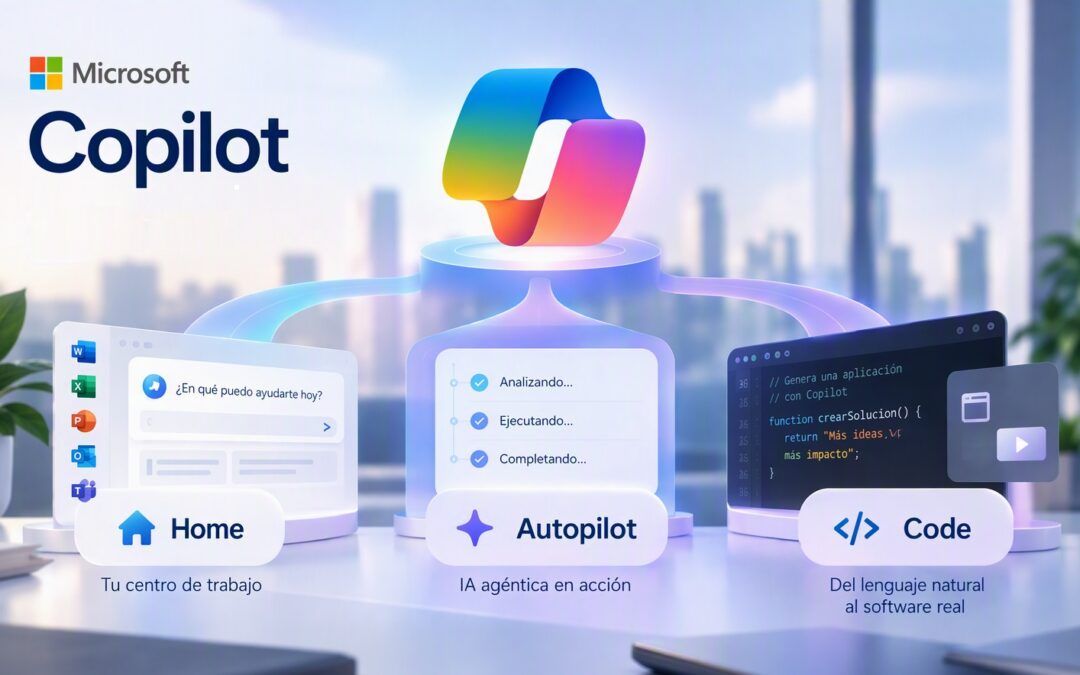
🚀 On September 25, 2026, Microsoft introduced the largest Copilot update to date. The announcement, signed by Jared Spataro in Official Microsoft blog, organizes Copilot around three new capabilities:
1️⃣ Home: The new work center, which unifies tasks, conversations, and applications.
2 Autopilot: The great bet on agent AI, capable of executing tasks autonomously.
3️⃣ Code: the democratization of software generation through natural language.
But the news isn't just about the new features. Microsoft It also changes how billing is done Copilot And how it is deployed. Then we analyze these three key developments, what they mean for your organization, and what should be done now.
🏠 Home: the new work center
The first big new feature is Home, the new entry point to Microsoft Copilot. Its goal is to become the space from which users organize their daily work, recover context, and access the tools they use on a regular basis.
Microsoft he designed Home to bring together two complementary experiences in a single space: Chat and Coworking. While Chat It is designed for quick consultations, information search, drafting of preliminary drafts or immediate analysis, Coworking It allows for delegating more complex tasks so that Copilot Execute them from start to finish and return a complete result. The goal is for the user to be able to move from a specific question to the execution of complete tasks without changing tools. Furthermore, Microsoft has announced that there will be another new feature soon: Today, a daily view within Home and the invocation of @Copilot within Teams. And it announces that soon there will be no choice between Chat, Cowork or Code: It will be enough to explain what is needed and Copilot will decide which capability to use.
The other key piece is that Word, Excel, and PowerPoint are integrated directly into Copilot. Documents can be created and edited without leaving the application, and the content will remain synchronized with Office. This eliminates the need to constantly switch between applications.
The goal is to reduce the time between applications and preserve the context of each task. For the user, Copilot ceases to be just another tool and becomes the starting point for their day.
✨ Autopilot: the big bet on agent AI
If Home represents the new work interface, Autopilot represents the true leap towards Agentic AI: the agent that continue working when You no You are.
Unlike traditional assistants, which respond when the user asks them a question, Autopilot It is designed to execute tasks continuously and autonomously. Microsoft defines it as a persistent agent capable of receiving objectives, acting within established limits, and continuing to work even when the user is not connected. This means that it can perform follow-ups, coordinate processes, monitor recurring tasks, or manage entire workflows, always keeping the user informed about their progress.
It is not a new product from scratch. Autopilot is the evolution of Scout, the agent that Microsoft was testing and of which we have already spoken in Microsoft Scout: the first Microsoft 365 Autopilot agent and in Microsoft Autopilot Agents: the new era of agentic AI in Microsoft 365.
With Autopilot, Microsoft It clearly shows where the next generation of productivity tools is headed: assistants that evolve into digital collaborators capable of taking on operational work and freeing up time for more valuable activities.
But this leap requires questions that were not necessary before: What can the agent do without asking permission? What actions are irreversible? Who reviews what they have done and where is it recorded? Organizations that respond to this before deploying it will reap value; those that do not will take on unnecessary risks. The key to success will be integrating these agents into business processes, connecting them with the appropriate data, and establishing monitoring and governance mechanisms that ensure safe and efficient use. We explain this in more detail in The 6 keys to success in agentic AI.
💻 Code: The democratization of software generation
The third big innovation is Code, the ability to create apps a measure without to write code. Users will be able to request simple applications, dashboards, automations, workflows, or tracking tools without the need to manually write code.
Until now, the creation of applications, automations, or internal tools was primarily reserved for developers. Code, Microsoft It aims to change this dynamic by allowing any user to describe a need in natural language and that Copilot generate the corresponding solution.
To do this, Code It works with the same basic technology as GitHub Copilot, Although integrated into the ecosystem of Microsoft 365 and governed by corporate security mechanisms. In what matters most to a company, Microsoft It provides two guarantees: Code is executed in a Isolated environment (sandbox) and solutions can be staying within the own tenant of the organization.
The goal of CODE It is about democratizing the development of software and making it accessible to any professional, regardless of their technical knowledge. A sales, financial or operations manager can set up a tool in minutes that previously required asking IT for help and waiting for weeks. That is the opportunity.
Risk is the flipside of the same coin: dozens of apps created without coordination, without maintenance, and with access to data that perhaps shouldn’t be exposed. It’s the shadow IT Always the case, now much easier to produce. The answer is not to ban it. Code, Not just giving a framework: what data can be used, who approves what goes into production and who maintains what is created. Who already rules Power Platform It has a good part of the way covered.
➡️ If you already work with Fabric or Power Platform, this directly affects you.
One Copilot It is as useful as the data it has access to. Therefore, a less visible part of the ad is perhaps the most relevant for many companies: Copilot will rely on Fabric IQ, Work IQ and a new one plugin registration to better use the organization's data, processes, and applications.
Specifically:
- Fabric IQ It is now available in general form Chat and Cowork, and its integration with Code It will arrive through Frontier.
- The anchor of Copilot in data from Dynamics 365 and Power Platform It will enter public preview during the next few weeks.
The practical consequence is clear: organizations with an ordered data model in Fabric and a well-governed Power Platform environment will get much more useful answers and agents. Those that have scattered data will see a Copilot that speaks well, but knows little about their business.
📅 When will it be available New Copilot and how it will be paid
The new Microsoft Copilot It is still in a preliminary phase; none of the three capabilities has yet a date of general availability. .Microsoft it is deploying the new capabilities of Copilot gradually:
| Capacity | Announced situation |
| Home | Progressive deployment in the Frontier program during the weeks following the announcement |
| Code | Arriving in Frontier in late September, wider availability in the following weeks, and preview for Microsoft 365 Premium and Pro subscribers later in 2026 |
| Autopilot | Extended private preview from late September |
What is Frontier?. It is the early access program of Microsoft for Copilot. It is activated at the tenant level: the IT administrator decides whether the organization participates and which users see it. It requires a license. Microsoft Copilot, and their functions are preliminary versions that may change or be withdrawn.
An alert about Microsoft 365 Premium. It's a plan for individuals, not businesses. Code reaching there doesn't mean that it will reach all corporate licenses at the same time.
The change that should most worry financial management: usage billing. Cowork, Code, Autopilot, the new long-term agent capabilities, and advanced models like Astra and Fable are billed by consumption, not with a fixed license per user. Microsoft has not published specific pricing, but it is also expanding spending policy controls, credit requests, and families of allowed models. An agent that works continuously consumes continuously: without predefined spending policies, the cost can be difficult to predict.
➡️ What companies should do now
The general availability has not yet been announced, but that is no reason to wait. The decisions that will determine success are made before the technology reaches everyone. We recommend five steps:
- Deciding whether to participate in Frontier and with whom. A pilot with a small and motivated group allows learning to take place without exposing the entire organization.
- Defining spending policies before activating anything. With usage billing, user, device, or model limits must exist before the first agent.
- Mark the limits of Autopilot. What can be done alone, what requires approval, and what actions should never be executed without supervision.
- Give a framework to Code. What data can be used, who validates an app before sharing it and who is responsible for maintaining it.
- Review the status of the data. The Copilot will render according to the quality and order of the data in Fabric, Dynamics 365, and Power Platform. This is the best time to sort them.
The question for companies is no longer whether AI will become part of everyday life, but whether they are prepared to govern it when it arrives.
🚀 How it can help you Next Step?
We Next Step We accompany companies through each of these steps, with the Years of experience working with data, Power Platform, and AI in the Microsoft ecosystem:
- Strategy and pilot: We define the use cases with the highest return and plan participation in Frontier.
- Government and cost control: We design the spending policies, permits, and oversight for Cowork, Code, and Autopilot.
- Agents and AI agents: We have deployed Microsoft 365 Copilot and agents that are connected to the real processes of the business.
- Data prepared for Copilot: We integrate Microsoft Fabric, Power BI, Power Platform, and corporate systems so that Copilot can work with reliable information.
- Security and compliance: We apply the criteria of a certified company in ISO/IEC 27001 to AI projects.
Want to know how to leverage the new Copilot in your organization? Request a meeting with our expertsWe will review your use cases, your starting point, and propose an adapted roadmap.

Sources:
- Microsoft, Introducing the new Copilot with Home, Code and Autopilot, Official Microsoft Blog, September 25, 2026.
- Microsoft Source EMEA, New Microsoft Copilot Brings Home, Code, and Autopilot Together, September 25, 2026.
Updated information as of October 1, 2026. Since these are features in preview, the dates and conditions may change.